Thursday, May 8, 2025

Post #6 - Network Security

 The Importance of Information and System Security 

    In today's increasingly digital world, the security of information systems is essential for both individuals and organizations and cannot be overstated. Since individuals and organizations rely heavily on technology to manage data, from personal banking, healthcare, business operations, and national security, the risks involved with cyber threats are too great, and protecting your data and digital infrastructure is no longer optional but mandatory. Information and system security refers to the strategies and practices that protect computer systems and networks from unauthorized access, misuse, disclosure, disruption, or destruction. Failing to secure digital assets can lead to severe and often devastating consequences, including financial loss, identity theft, loss of trust, public safety, and even human health. 

    Individual users need to secure personal devices and information to protect against identity theft, financial fraud, and loss of sensitive information like social security numbers and health records. For example, a single successful phishing attempt can result in stolen banking credentials, which could lead to devastating financial damage. Organizations that experience security breaches often face legal penalties, disrupted operations, and loss of customer trust. As technology evolves, so do cybercriminals and the means they use to steal corporate and consumer data. In this paper, we will discuss a few of the most common and disruptive security threats: Malware, Ransomware, and HTTPS Phishing. 

Malware, Ransomware, and HTTPS Phishing 

    Malware, short for malicious software, is a generic term that includes various forms of harmful software, including viruses, worms, trojans, and spyware. These programs are designed to infiltrate computer and network systems without user consent to steal data, damage, and or disable systems, or open backdoors for long-term exploitation. Malware usually spreads through infected files, compromised websites, or malicious email attachments. Systems are vulnerable to malware due to several factors, including outdated software, lack of antivirus protection, user negligence, like downloading files or programs from untrusted sources, and inadequate or poor security configurations. Once malware breaches a system, it can cause a variety of symptoms, including sluggish performance, frequent crashes, unauthorized pop-ups, and the unexpected appearance or disappearance of files. 

    One high-profile malware incident occurred in 2017 when Nuance Communications, a company specializing in voice recognition and AI technologies, particularly in the healthcare sector, was affected by the NotPetya malware attack. NotPetya initially thought to be ransomware, evolved into a cyberweapon and was used to destroy data and disrupt services. As a result of the breach, Nuance’s healthcare transcription services were disabled for weeks, impacting hospitals and clinics across the United States and delaying patient care. The attack caused an estimated $92 million in damages for Nuance, exposing the vulnerability of healthcare infrastructure to cyber threats. 

    Ransomware is a specific type of malware that encrypts data and demands payment, usually in untraceable cryptocurrency, for its release. Once installed, the ransomware typically displays a message informing the victim that their files have been encrypted, along with payment instructions in exchange for the decryption key. This kind of attack is dangerous because it can bring entire organizations to a standstill as they are denied access to system data or functions. In addition to the potential financial loss from paying the ransom, which does not guarantee recovery of data, victims suffer from operational disruptions, data loss, and reputational harm.  Change Healthcare is an example of a high-profile company brought to its knees due to a ransomware attack. In February 2024, Change Healthcare, a subsidiary of UnitedHealth Group, was hit by a ransomware attack. The breach disrupted prescription processing, insurance billing, and health information exchange nationwide. As a result, thousands of pharmacies and healthcare providers were affected, leading to delays in patient treatment and prescriptions. The attackers, allegedly a Russian ransomware group, demanded millions in ransom, additionally, sensitive patient information may also have been compromised. The full ramifications of this breach have yet to be appreciated, but the company’s reputation has been instantly tarnished.  

    HTTPS phishing attacks are an evolution of traditional phishing schemes. While phishing involves tricking users into revealing personal information or downloading malicious files through fake emails or websites, HTTPS phishing adds a layer of credibility by using “secure” HTTPS URLs, complete with padlock icons, fooling browsers and users alike. Users believe that HTTPS indicates a site is safe, but fail to understand that cybercriminals can obtain SSL certificates for their fake sites, and it only indicates encryption of site data. This false belief lulls the user into a false sense of security, and they are more likely to enter sensitive information such as usernames, passwords, or credit card information.  

What Makes Computer Systems Vulnerable? 

    Several factors contribute to the vulnerability of computer systems to malware, ransomware, and phishing attacks. One of the main reasons is the person sitting at the computer terminal, i.e. human error. Breaches often result from users clicking on malicious links or downloading infected files. Lack of education and understanding is what causes grandma to click on the link that now takes her to a website that either promises increased wealth if she will just sign up for something or flashes threatening warnings and advertises her system is now compromised and offers her a ‘Help Desk’ support link to remove the infection, if she will just enter some information. Additionally, inadequate training of employees fosters easy targets. Outdated software and unpatched systems are low-hanging fruit for a cybercriminal and are ripe for the picking since cybercriminals often scan for known vulnerabilities that haven’t been patched or rectified. 

    Another factor is the complexity of how systems interconnect. As individuals and organizations increasingly adopt cloud services, the Internet of Things (IoT), and the convenience of mobility, the landscape expands, and the possibilities of attack follow suit. Each device and system connected to a network represents a potential entry point for attackers. 

Protecting Systems from Cyber Threats 

    To protect against malware, ransomware, and HTTPS phishing, individuals and organizations need to adopt a proactive cybersecurity approach. Some recommendations are: 

  1. Regular software updates and the installation of security software solutions. Ensuring that all software, operating systems, and applications are up to date. Attacks exploit known vulnerabilities in outdated systems. Automating updates is an easy way to reduce the risk of malware and ransomware infections. Additionally, the installation and deployment of endpoint detection and response (EDR) tools and network monitoring solutions to detect suspicious activity before it can cause problems. 
  2. Security awareness training. Since human error remains one of the major factors in security breaches, regular training of users to recognize suspicious emails or websites is critical to educate end users and add an additional layer of defense. Additionally, organizations should educate and provide an easy way to report suspicious emails or activity to the IT department. 
  3. Implement multi-factor authentication (MFA) on any and all software or websites that allow it. 
  4. Regular and secure backups of data. Having secure backups can protect individuals and organizations against the threat of ransomware and data loss. 

Conclusion 

    Information and system security cannot be ignored, and whether we like it or not, it is a part of modern living and our digital landscape. Malware, ransomware, HTTPS phishing, and a host of other cyber threats continue to evolve and have the potential to cause widespread distress and financial loss, often with devastating consequences. The 2017 Nuance breach and the 2024 Change Healthcare incident illustrate just how critical it is to take cybersecurity seriously. By understanding how these threats work, identifying system vulnerabilities, user education, and implementing protective measures, individuals and organizations can better protect their data and digital lives, reducing the risk of painful cyberattacks. 


References: 

Blancaflor, E. B., Duldulao, J. O., Vincent, J., Patag, S. M., & Intal, G. L. (2025). Advanced Phishing Techniques: Analyzing Adversary-in-the-Middle and Browser-in-the-Browser Attacks in Modern Cybersecurity. Cybernetics and Information Technologies, 25(1), 55–77. https://doi.org/10.2478/cait-2025-0004 

Bock, A. (2024). As Ransomware Attacks on Health Care Surge, Here’s What Clinicians and Health Systems Can Do. JAMA. https://doi.org/10.1001/jama.2024.15010 

Davis, J. (2018, March 1). Hackers hit Nuance again in 2017, while NotPetya cost $98 million in lost revenue. Healthcare IT News. https://www.healthcareitnews.com/news/hackers-hit-nuance-again-2017-while-notpetya-cost-98-million-lost-revenue 

Gregory, J. (2024, May 24). Change healthcare’s 22 million ransomware payment. Ibm.com. https://www.ibm.com/think/news/change-healthcare-22-million-ransomware-payment 

House Committee on Energy and Commerce. (2024, May 3). What We Learned: Change Healthcare Cyber Attack. House Committee on Energy and Commerce. https://energycommerce.house.gov/posts/what-we-learned-change-healthcare-cyber-attack 

Learning Platform | CompTIA. (2025). Testout.com. https://labsimapp.testout.com/v6_0_675/index.html/productviewer/1215/2.1.1/c184ce18-c955-4999-97f7-94b62fb75a43?nonce=GPfE1IIUf7VP7sfGppspLKTdTgZ7umPC0JiL9SQ_p0Y 

Liu, X., Ahmad, S. F., Anser, M. K., Ke, J., Irshad, M., Ul-Haq, J., & Abbas, S. (2022). Cyber security threats: A never-ending challenge for e-commerce. Frontiers in Psychology, 13. https://doi.org/10.3389/fpsyg.2022.927398 

Nuance Provides Update on Malware Incident and Business Impact. (2017). Nuance MediaRoom. https://news.nuance.com/2017-07-21-Nuance-Provides-Update-on-Malware-Incident-and-Business-Impact 

Office for Civil Rights (OCR). (2024, April 19). Change Healthcare Cybersecurity Incident Frequently Asked Questions. Www.hhs.gov. https://www.hhs.gov/hipaa/for-professionals/special-topics/change-healthcare-cybersecurity-incident-frequently-asked-questions/index.html 

Ragan, S. (2018, February 28). Nuance says NotPetya attack led to $92 million in lost revenue. CSO Online. https://www.csoonline.com/article/564713/nuance-says-notpetya-attack-led-to-92-million-in-lost-revenue.html 

Team, H. (2024, April 25). Understanding the Change Healthcare Breach and Its Impact on Security Compliance. Hyperproof. https://hyperproof.io/resource/understanding-the-change-healthcare-breach/ 

Yamany, B., Elsayed, M. S., Jurcut, A. D., Abdelbaki, N., & Azer, M. A. (2024). A Holistic Approach to Ransomware Classification: Leveraging Static and Dynamic Analysis with Visualization. Information, 15(1), 46. https://doi.org/10.3390/info15010046 

Post #5 - Computers in the Workplace

    In the current healthcare environment, technology and computers play an essential role by increasing efficiency, accuracy, and exchange in patient care. Computers streamline the entire healthcare process from procedures to clinical decision making, and results to billing. One main area where computers are crucial is the use of Electronic Health Record (EHR) software, which allows healthcare providers like hospitals, clinics, and family practice doctors to store, manage, and share patient information digitally. EHRs improve the continuity of care for patients, reduce medical errors, and simplify documentation.

    Another electronic system that has been a part of healthcare for a while is the Picture Archiving and Communication System (PACS), which allows for the storage, retrieval, remote viewing, and sharing of medical images such as X-rays, CT scans, Ultrasounds, and MRIs. PACS has removed the need for physical film, reduced the time to diagnosis, and allows for remote consultations when a patient needs to be transferred to a higher level of care.

    Computer literacy among healthcare workers is necessary to function with these technologies. Staff must be able to navigate computers, email, word processors, spreadsheets, and EHR systems, as well as manage data in a secure way to protect patient confidentiality. Another area where computers are vital is Interoperability, or the ability of different systems and devices to exchange, ingest, and interpret shared data. This allows for better communication across departments and facilities, reducing the need for duplicate tests.

    Looking ahead over the next decade, advances in computer hardware will make it possible for improved Artificial Intelligence (AI) models to integrate into all aspects of healthcare workflows. AI algorithms are already being used to detect abnormalities in imaging, predict patient outcomes, and personalize treatment plans. The intent is that as AI becomes more powerful, its integration with EHR and PACS systems will improve accuracy and automate basic tasks, allowing providers to focus more on patient care.

    In some places, AI is already helping providers and medical staff improve patient care.  One example of artificial intelligence (AI)–based triage of pneumothorax at chest radiography. A frontal chest radiograph in a 39-year-old male patient obtained in an outpatient clinic for regular follow-up after lung cancer surgery shows a large amount of right pneumothorax. An AI tool identified the pneumothorax immediately after the chest radiograph acquisition, and a notification was automatically sent to a radiologist for immediate interpretation. The radiologist read the chest radiograph 39 minutes after the acquisition and notified the referring thoracic surgeon of the result. The patient was referred to the emergency department, and chest tube drainage was inserted 172 minutes after the frontal chest radiograph acquisition. 

The next ten years should be pretty exciting in healthcare!


References:

Hwang, E. J., Goo, J. M., & Park, C. M. (2025). AI Applications for Thoracic Imaging: Considerations for Best Practice. Radiology, 314(2). https://doi.org/10.1148/radiol.240650

Post #4 - Traveling Through a Network

 Part 1: Ping Activity


Website 1 - Since its server is located in the same country, the round-trip time (RTT) is the lowest with the most consistent variation between pings.

Website 2 - Higher RTT could be due to it being international and a longer distance.

Website 3 - Even though it is still considered international, it is still closer than Australia, and Europe is known to have pretty good networking, which probably helped keep the RTT low.


Part 2: Traceroute Activity


Website 1 - With Google traffic staying inside the country, it has low latency

Website 2 - International traffic has to traverse different networks, which could slow things down. The Twelve99 and Cloudflare do a good job of keeping the latency low despite physical distance.

Website 3 - Similar to website 2, it has to traverse different international networks, but Twelve99 and Cloudflare do an excellent job at keeping the latency low. Europe's network architecture could also contribute to the low latency.


Part 3: Traveling Through a Network Reflection Essay

    The ping command sends tiny packets of data to a specific destination (like a website’s IP address). It measures how long it takes for these packets to travel to the destination and back, and that gives you a quick idea of how fast your internet connection is. There are more advanced ‘pings’ that would actually need a handshake with the device before getting a response, like a DICOM ping or echo. You can also run into trouble if the device has ICMP turned off; this will hide the device from your ping request, and you wouldn’t get a return response at all. 

    A traceroute is like a map that shows the entire path a packet takes through the Internet or network. It lists every router it passes through (called a hop), so you can see where it goes. A traceroute can help find out if there are any delays or issues with where you’re trying to go. 

    Ping and traceroute can sometimes run into issues, as stated above. Two possible reasons why a ping request or traceroute command might time out or return with an error response could be firewalls and network security settings that can block traffic, which can cause timeouts. Another problem would be network congestion or a router could be down, any of these would keep the packet from reaching its destination, and thus, no response.

    The location of the server can affect how long it takes for a message to travel through the internet. If the server is far away or there are lots of other devices on the same network, it can take longer for the message to get there. 


Reference:

Learning Platform | CompTIA. (2025). Testout.com. https://labsimapp.testout.com/v6_0_675/index.html/productviewer/1215/3.1/c184ce18-c955-4999-97f7-94b62fb75a43?nonce=CHiufPbbyr4GXgPTvYB9OWOEHnkKSw5mXosqvKd47CM

Post #3 - Documenting a Day

Role of Applications: 

Reflection Essay 

    Throughout my recent experience working with Microsoft Word, Excel, and PowerPoint also looking at database applications like Microsoft Access, OpenOffice Base, and MySQL, I have gained a better understanding of the unique capabilities of each software tool, while I don’t fully feel comfortable in the database world I hope that time and practice will bring similar familiarity as Word, Excel, and PowerPoint. These different applications serve distinct functions in organizing, presenting, and analyzing information, and understanding their differences has helped me to select the appropriate tool for a variety of different tasks. 

    Over the years, Microsoft Office Word has emerged as a universal Word processor for almost 80% of the world's population. It has a bundle of capabilities that suits professionals of all kinds.

Comparison of Software Application Functions 

    Microsoft Word, Excel, PowerPoint, and Access each serve different purposes. Microsoft Word is primarily a word processing tool used for creating and editing text documents. It is best suited for journal entries, reports, letters, and essays. Microsoft Excel is a spreadsheet application used for organizing data, performing calculations, creating charts, and analyzing numerical information. Microsoft PowerPoint is designed for creating slide-based presentations, enabling users to use and combine text, images, animations, and videos to convey information visually. Microsoft Access is utilized to store, manage, and retrieve extensive volumes of structured data efficiently. 

    Although all of these tools are part of the Microsoft Office Suite and can occasionally overlap in use, their primary functions remain distinct. For example, it is possible to create a table in Word, as demonstrated in my Daily Journal entry and corresponding PowerPoint, but Excel provides significantly more functionality for sorting, calculating, and filtering large datasets. 

Advantages and Disadvantages of Each Application 

    Each application offers advantages. Microsoft Word is the industry standard and, as such, it is widely used, making it a preferred choice for writing and formatting documents, which also helps to ensure compatibility. Its spell check, grammar suggestions, word count, and formatting tools assist in producing professional-looking work; additional extensions like Grammarly can also greatly improve professional end-user output. However, Word is not well-suited for intricate data analysis or visual presentations. 

    Microsoft Excel is best used for numerical data management, complex calculations, and chart/graph creation and is used often for financial analysis, budgeting, and data tracking. However, beginners may find advanced formulas and functions overwhelming. 

    PowerPoint is known for its visual communication capabilities. Its design themes, animations, and multimedia integration make it ideal for lectures, business pitches, and instructional materials. However, poor design choices or excessive animations can be distracting and detract from the focus of the presentation. 

    Access, like Excel, is efficient for managing large datasets but can also be used to execute advanced queries. It allows for data integrity, scalability, and automation of data management tasks. However, its complexity can pose challenges to new users. 

    Of the four, Microsoft Word was the most suitable application for documenting my daily activities, I could structure my entries with headings, utilize bullet points for lists, and express my thoughts in a manner that didn’t pull away from what I wanted to write. 

    There are many software applications used to make our job easier, faster, and more productive. For instance, a simple word editor like Notepad is available to jot down notes. The user doesn't need to have much knowledge to use a word processor, and many other programs.

Additional Scenarios for Each Application: 

  • Microsoft Word is suitable for academic or professional settings where reports, proposals, or essays are required. For instance, a student could utilize Word to compose a research paper incorporating citations, footnotes, and a bibliography. 
  • Microsoft Excel is great in business settings. Small business owners can utilize it to monitor monthly expenses, calculate profit margins, and view trends through charts. Its data analysis tools, like PivotTables and conditional formatting, are ideal for financial management. 
  • Microsoft PowerPoint can be used by educators preparing lessons. Teachers and facility educators can create fun and engaging presentations using animations and transitions filled with information, bullet points, and embedded videos. 
  • Microsoft Access is most useful for organizations managing large datasets or inventory. A library could utilize Access to track books, borrower information, due dates, and late fees. Access databases ensure systematic information storage and quick retrieval using search queries. 

Conclusion 

    While each application possesses advantages and disadvantages, depending on the task there is a right tool for the job. As I continue to learn and use these tools, I am confident my ability to use them in both academic and professional settings will increase. 


References: 

Apache OpenOffice Base. (n.d.). Www.openoffice.org. https://www.openoffice.org/product/base.html 

IT Certification Training Courseware | MOS Certification Training. (n.d.). Www.testout.com. Retrieved October 14, 2020, from http://www.testout.com 

MySQL :: MySQL 8.0 Reference Manual :: 3 Tutorial. (2019). Mysql.com. https://dev.mysql.com/doc/refman/8.0/en/tutorial.html 

Post #2 - Web/Mobile App Critique

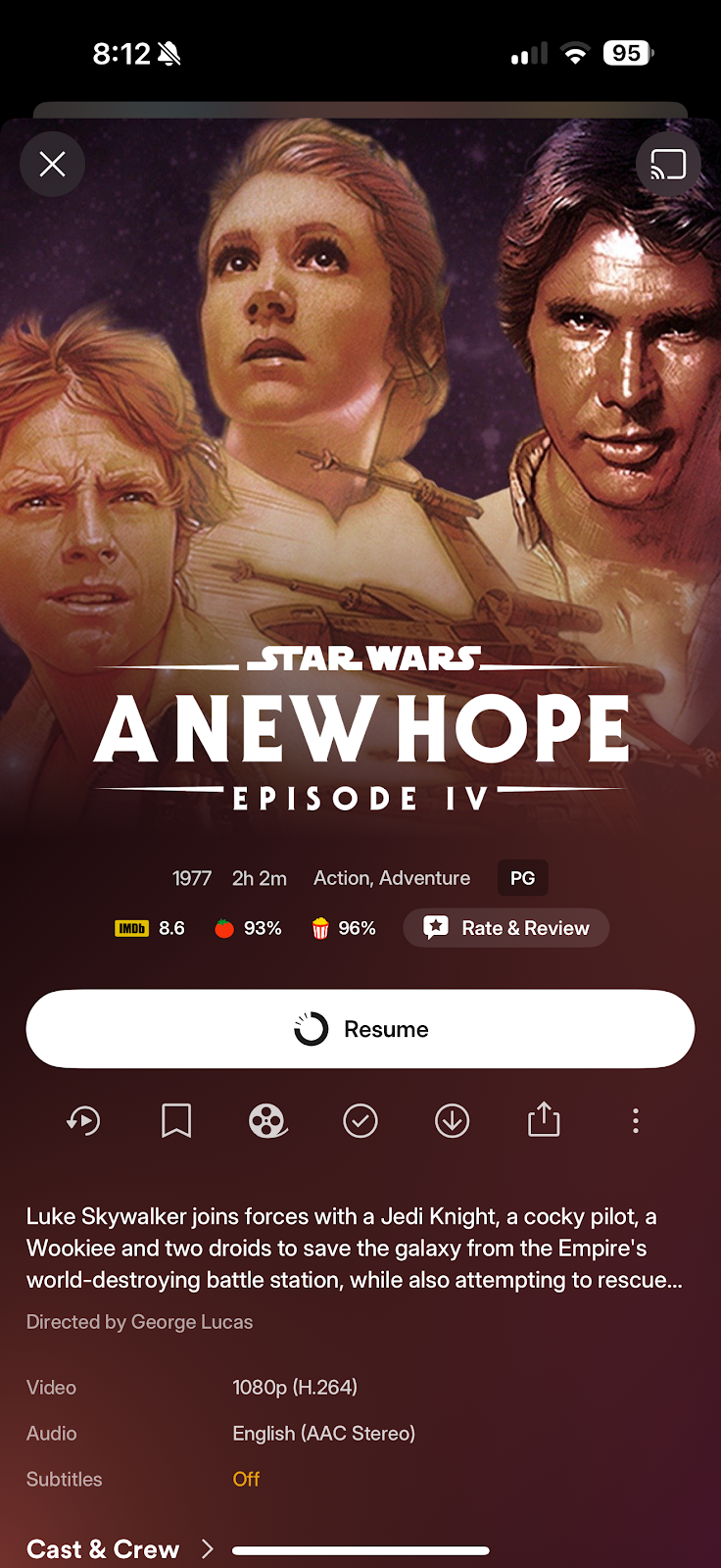
A popular mobile and web app I’m familiar with is Plex.

    Plex is a one-stop shop for streaming movies, TV shows, and your own content. It offers several different platforms for enjoying your content. Below is a quick rundown on Plex mobile, web, and TV apps, focusing on usability, design, functionality, accessibility, connectivity, maintenance, ease of use, practicality, and overall user experience. 


1. Plex Mobile App (iOS & Android): 


Pros: 

  • Sleek, user-friendly, modern UI optimized for touch navigation, and a gesture-friendly interface. 
  • Intuitive bottom navigation bar with quick access to Library, Live TV, and an option to discover new content. 
  • Full access to Plex Media Server content, live TV, DVR, and free ad-supported streaming. 
  • Download support for offline viewing (with a paid upgrade called Plex Pass). 
  • Seamless connectivity to local or remote Plex Media Server (when remote, port forwarding needs to be enabled on the home network). 
  • Chromecast and AirPlay support. 
  • Regular updates, stable performance, and responsive customer support. 
  • High usability; easy browsing, streaming, and downloading (downloading to a device available with Plex Pass). 

Cons: 

  • Limited customization of playback settings. 
  • Occasional syncing issues with remote servers. 
  • Offline features are locked behind a paid upgrade called Plex Pass. 


2. Plex Web App (Browser-based): 


Pros: 

  • Clean interface with left-hand navigation and media management tools. 
  • Functionality: Streaming, library management, metadata editing, server settings, subtitle downloads, etc. 
  • Accessibility: Keyboard navigable and supports browser extensions. 
  • Connectivity: Stable server connection on the same network or remotely (remote connectivity requires port forwarding on the home network). 
  • Maintenance: Easy to update server configurations or libraries. 
  • Ease of Use: Advanced features for power users, very beginner-friendly with prompts and smart layout, and with a large online user base for help. 
  • Practicality: Ideal for setting up and managing Plex libraries. 
  • User Experience: Customizable views, filter options, and smart searches greatly enhance the user experience. 


Cons:  

  • Streaming lag with poor browser or network performance, not optimized for touchscreen devices, no offline media download support. 


3. Plex TV App (Smart TVs, Roku, Apple TV, Fire TV, Android TV, etc.) 


Pros: 

  • Usability & Design: Designed for large screens with large thumbnail posters and ambient theme music, smooth navigation, and a minimalist interface. 
  • Functionality: Accesses server content, live TV, and Plex’s streaming catalog with consistent playback quality on most modern TVs. 
  • Accessibility: Supports closed captions and movie trailers. 
  • Connectivity: Auto-discovers local servers and works reliably with remote access if port forwarding is configured on the home network. 
  • Maintenance: Often updated alongside the platform OS, requiring minimal user effort. 
  • Designed for the living room theater experience. 
  • Ease of use: Straightforward navigation, suitable for casual users and families. 
  • Practicality: Perfect for home viewing, supporting nearly all Plex media formats. 
  • UX: Fluid experience with continuous playback, resume watching, binge-watching TV shows, and synced watch history. 


Cons: 

  • Limited control over advanced settings (metadata, server controls). 
  • Device-specific features (e.g., Roku’s app is less feature-rich than Apple TV’s). 
  • Occasionally slow to load large libraries on older streaming devices. 


Conclusion: 

  • Best overall for media management: Web App 
  • Best for casual viewing: TV App 
  • Best for on-the-go users: Mobile App 

    Each platform is great when you need it. Plex builds the experience to each platform’s strengths: phone and tablet for that always with you portability, web for management and control or when you just want to watch something while you are doing your TEC101 assignments, and TV for that home theater experience, pair it with a great TV and killer sound system and turn out the lights with some popcorn and enjoy the show.


References:

IT Certification Training Courseware | MOS Certification Training. (2019). Testout.com. http://www.testout.com/Links to an external site.

Web app vs mobile app: key features and differences. (2024). Indeed Career Guide. https://uk.indeed.com/career-advice/career-development/web-app-vs-mobile-appLinks to an external site.

Plex. (2018). Plex; Plex. https://www.plex.tv/

Post #1 - Programing Languages

    Utilizing Scratch as a programming platform provided an enjoyable and beginner-friendly introduction to the field. The visual drag-and-drop coding experience allowed for a better understanding of programming concepts without the need for traditional line-by-line coding. The ability to drag and drop puzzle pieces to modify the program made it easy to continually adjust and improve the project. 

    In the CompTIA CertMaster Learn Tech+ text, one area of concern highlighted is the syntax of the code used to build programs. While other languages such as C, C++, Java, or Python may be more robust, for beginners, the freedom from syntax worries made the experience more enjoyable. It fostered the desire to continue improving the project. Aspects like semicolons, indentation errors, and loops were less of a problem. 

    Working with characters or ‘sprites’ and the ability to move them around the screen and alter their appearance made it enjoyable to involve my children in Scratch. The capability to layer different sprites and assign each one its own script and animations created a multi-layered experience. While some initial adjustments were necessary to determine the best timing for starting Sprite scripts and managing interactions with other sprites, with plenty of practice, these challenges were no more than a learning experience. 

    The immediate feedback provided by the website is also a significant advantage. Instead of waiting until the program is completed to identify errors or misplaced animations, instant feedback was highly beneficial. 

    Overall, I thoroughly enjoyed programming with Scratch and intend to continue using it to enhance my understanding of flow and syntax, preparing myself for future programming languages that we will definitely try. 

    When comparing Scratch to languages such as Assembly Language, Assembly Language is undoubtedly more robust but lacks intuitiveness. In programs like Python, once the functions are learned, understanding the program’s intended functionality is easier, however, it lacks the self-explanatory and intuitive nature of Scratch. While it offers more versatility for beginning programmers, it may not be the most suitable choice for accessing SQL databases or executing queries. The programming language requirement depends on where it is used, such as the client or server side, where security is required. For instance, JavaScript is best for client-side (web-based applications) security, and SQL is most chosen for server-based security.

    Therefore, while Scratch can be an enjoyable introduction to logical thinking and programming, it is important for beginning programmers to recognize the sea of programming languages and the coding world that awaits them beyond the Scratch capabilities. 


Scratch Project 


References: 

IT Certification Training Courseware | MOS Certification Training. (n.d.). Www.testout.com. Retrieved October 14, 2020, from http://www.testout.com 

Scratch. (2007). Scratch - Imagine, Program, Share. Scratch. https://scratch.mit.edu/ 

Applying Algorithmic Design and Data Structure Techniques One Noob to Another.

Hello there! As a Java student, feeling comfortable with algorithmic design and data structure techniques is important for creating prog...